Fix a wrong column match in a Shopify import
Csvio maps columns automatically, but some supplier files have ambiguous headers that can lead to incorrect matches. Here's how to spot and fix common issues.
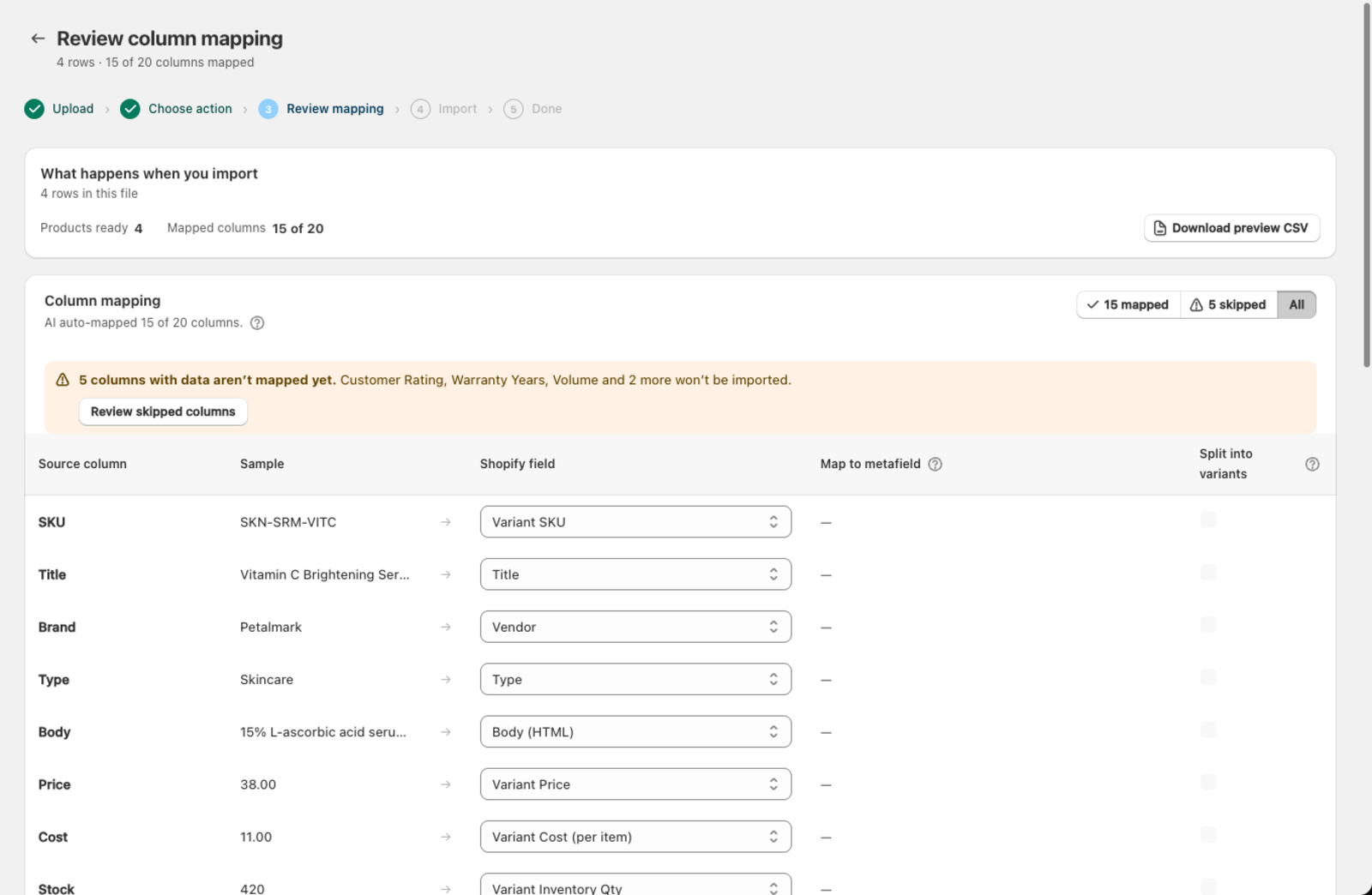
How do I fix a wrong mapping?
- Go to the mapping screen after uploading your file.
- Find the row with the incorrect mapping.
- Open the Shopify field dropdown and select the correct field.
- The fix is saved and reused for future imports from this supplier.
Which columns get mixed up most often?
Why did Csvio map Price to Compare At Price?
Supplier files often label columns as "RRP", "MSRP", "Retail Price", or "Wholesale Price". The AI might confuse which is the selling price and which is the comparison price.
How to fix it: Map your selling price to Variant Price and the original/retail price to Compare At Price. Compare At Price is the "was" price that Shopify shows crossed out.
Why are SKU and Barcode swapped?
Some suppliers call their internal reference number "Barcode" or label the EAN/UPC as "SKU". Check the sample values — SKUs tend to be shorter alphanumeric codes, while barcodes are typically 8-13 digit numbers (EAN, UPC).
How to fix it: Map the internal product reference to Variant SKU and the EAN/UPC number to Barcode.
Why is Tags mapped to Product Type or vice versa?
If your file has a "Category" or "Type" column, the AI may map it to Tags instead of Product Type, or the other way around.
How to fix it: Product Type is a single value used for organizing products (e.g. "T-Shirt", "Mug"). Tags are comma-separated labels used for filtering and collections (e.g. "summer, sale, organic"). Map accordingly.
Why are Size or Color columns mapped as regular fields?
If your file has "Size" or "Color" columns, they should be mapped to Option 1 Value / Option 2 Value, not to Tags or Description. Check that the corresponding Option Name is also set.
Why is my description mapped to SEO Description?
Shopify has two description fields: the main product Body (HTML) and the shorter SEO Description for search engine results. If your file has a long description column, it should usually go to Body (HTML).
How do I re-run the AI column mapping from scratch?
If too many columns are wrong and adjusting one by one feels tedious, click Re-run AI mapping on the mapping screen. This discards the saved mapping and maps the columns again from scratch. You'll get a fresh suggestion that you can review and adjust.
Note that re-running the mapping removes any customizations you've made for this supplier. Use it when the original mapping was significantly off.
Was this article helpful?
Still need help? Open Support in the Csvio menu to send us a message, or email [email protected].